









SKU/Artículo: AMZ-B0FD77ZP5F
TYUIHJGH
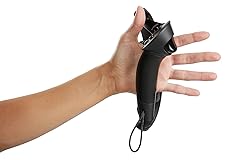
Valve Index VR Controller Knuckle Left Side and Right Side Controller Replacement Part Compatible with HTC Vive/Vive Pro(Left Controller)
Size:
Left controller
Detalles del producto
Disponibilidad:
En stock
En stock
Peso con empaque:
0.86 kg
0.86 kg
Devolución:
No
No
Condición
Nuevo
Nuevo
Producto de:
Amazon
Amazon
Viaja desde
USA
USA
Sobre este producto
- I preparation Ensure that SteamVR is installed and updated to the latest version. Fully charge the Index controller (or at least 50% or more) Connect the controller to the computer using an original USB-C data cable (or a reliable third-party cable). II Update firmware through SteamVR Connecting devices: Open SteamVR and ensure that the headset, base station, and controller are correctly recognized. If the controller is not automatically connected, long press the system button (the small circular button on the side of the controller) until the indicator light flashes. Check for updates: In the SteamVR panel, click on the menu button (3) in the upper right corner and select "Devices">"Update Device Firmware" If there is an available update, it will prompt 'IndexController firmware update'. Start updating: Follow the on-screen prompts and keep the controller connected until the update is complete. Do not disconnect the USB cable or turn off SteamVR during the update process. Complete verification 4 After the update, the controller may automatically restart. Check the SteamVR status panel to ensure that the controller displays "Normal" 0 III Manual forced update (applicable to abnormal situations) If automatic update fails: Go to SteamVR settings, select "Developer">"Device">"Manual firmware update". Select the Index controller and force a firmware rewrite.
AR$564.746
31% OFF
AR$389.477
IMPORT EASILY
By purchasing this product you can deduct VAT with your RUT number
AR$564.746
31% OFF
AR$389.477
 Llega en 18 a 28 días hábiles
con envío
 Tienes garantía de entrega
Este producto viaja
de USA ![]() a tus manos en
a tus manos en
![]()
 a tus manos en

Conoce más detalles
Compatible with Valve Index Controller Steamvr Game Controller, Compatible With HTC Vive/Vive Pro Battery life: over 7 hours、Connection: USB-C, 2.4GHz wireless Charging: 900mA fast charging, 1100mAh capacity lithium polymer battery Tracking: Compatible with Steam VR2.0 sensor、Touch: HD LRA (linear resonance actuator) Compatible with Steam VR1.0 and 2.0 base stations
Compra protegida
Disfruta de una experiencia de compra segura y confiable
Tarjetas de Crédito y Débito

Visa

Mastercard

American Express
Pagos a través de PayPal
Compra procesada en dólares con dinero en cuenta o tarjetas internacionales.

Paypal
Pagos a través de MODO
Compra procesada en pesos desde la App de tu banco.

PayPal

