













SKU/Artículo: AMZ-B0FSJLJKBC
YARCHONN
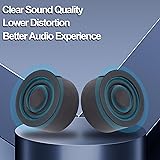
YARCHONN USB Mini Computer Speakers for Desktop Laptop Small PC Speakers USB-Powered 3.5mm TRS Stereo Jack with Volume Control Adjustment for MP3 Phone-1.2M/3.9FT
Detalles del producto
Disponibilidad:
En stock
En stock
Peso con empaque:
0.75 kg
0.75 kg
Devolución:
Sí
Sí
Condición
Nuevo
Nuevo
Producto de:
Amazon
Amazon
Viaja desde
USA
USA
Sobre este producto
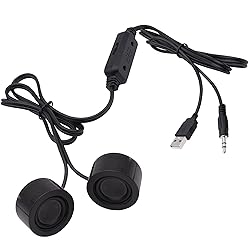
- YARCHONN USB Mini Speaker Wired Small Computer Speakers USB-Powered 3.5mm TRS Stereo Jack with Volume Control Adjustment for Laptop Desktop MP3 Phon The wired speakers is equipped with a USB cable and 3.5mm audio cable,USB line is for Power, 3.5 AUX Line is for audio input. the computer speakers for laptop is USB plug-and-play setup This small speakers for computer have easily accessible in-line volume scroll wheel lets you turn the sound up or down on whatever you're playing or listening to Mini desktop speakers feature a compact, discreet design with two 3M double-sided tapes for easy placement anywhere without taking up space. USB wired speaker works with device that has a standard 3.5mm headphone jack, PC Laptop Smartphone Tablet Desktop etc. Note:Before inserting 3.5mm head, please check the audio settings of your computer to avoid no sound Specifications: Interface: 3.5mm & USB A Cable Length: 1.2M/3.9FT Signal to Noise Ratio: ≥75dB Output Power: 6W Material: PVC & Copper Weight: 100g/ 0.22lb Packing:1pcs Wired USB Mini Speaker
AR$50.970
60% OFF
AR$20.388
IMPORT EASILY
By purchasing this product you can deduct VAT with your RUT number
AR$50.970
60% OFF
AR$20.388
 Llega en 8 a 12 días hábiles
con envío
 Tienes garantía de entrega
Este producto viaja
de USA ![]() a tus manos en
a tus manos en
![]()
 a tus manos en

Conoce más detalles
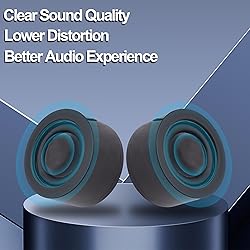
The Small Computer Speakers is USB-Powered,widely used in MP3/MP4 players, laptops, mobile phones, tablets, and other devices with 3.5mm jack.You can connect the product's USB port to a computer or use a phone charger to power it. USB mini PC speaker is equipped with dual magnetic high-definition speakers, providing clear sound quality and lower distortion, bringing you a better audio experience. It also comes with a rotating wheel volume control adjuster, making it more convenient to use. This small wired computer speaker comes with two 3M double-sided tapes, which you can easily attach to your monitor, desk, or anywhere else without taking up space. When using this 3.5mm jack wired mini stereo speaker to connect to a desktop computer, do not mute the computer. First, check if the audio driver is installed on the computer (some desktop computers do not have a default audio driver). NOTE:Try to insert the 3.5 audio plug and USB plug of the wired mini speaker into the socket on the back of the desktop computer host as much as possible, as the audio driver is often not properly set up on the front interface of the host, resulting in no sound. Before inserting 3.5mm head, please check the audio settings of your laptop to avoid no sound.
Compra protegida
Disfruta de una experiencia de compra segura y confiable
Tarjetas de Crédito y Débito

Visa

Mastercard

American Express
Pagos a través de PayPal
Compra procesada en dólares con dinero en cuenta o tarjetas internacionales.

Paypal
Pagos a través de MODO
Compra procesada en pesos desde la App de tu banco.

PayPal

